How to Redeem Training Simulator Codes
Exact HUD steps for Strength and Crystal codes on PC and mobile.
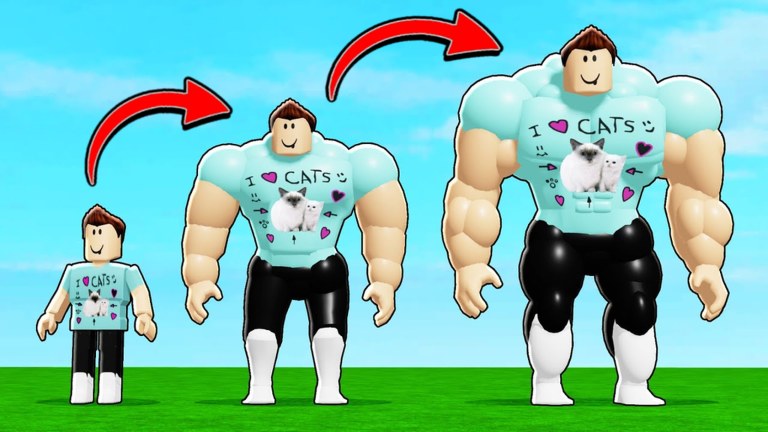
Promo codes are the fastest free Strength and Crystal injection in Training Simulator. This page walks through the redeem flow used on the live Sun Day Studios place, plus the mistakes that make working codes look “broken.” Pair it with the live list on the Codes Hub so you always paste a current string.
Before you start
- Open the official experience: Training Simulator on Roblox (place
16572004551, universe5703870642). - Like the game page. Several community-reported drops expect a like before the server accepts the code.
- Wait until your character fully loads into the gym / spawn area. Redeeming during a long teleport or rebirth animation can drop the UI.
- Copy a code from Codes instead of retyping—strings like
510KTRICEPSand190KTRICEPSare easy to mistype. Skip anything listed on Expired Codes.
Roblox Premium is optional here. Premium already grants +10% Strength and +10% Speed, but codes still redeem the same way for free and Premium accounts.
Step-by-step redeem
1. Find the Codes control
On the right side of the HUD, look for the Codes button or a present-style icon. Training Simulator keeps redeem away from the generic Roblox escape menu—if you only open Settings, you are in the wrong panel.
2. Open the redeem window
Click or tap that control once. A small panel should appear with a text field labeled Type Code Here (wording may be shortened on very small screens) and a Confirm action.
3. Paste the code exactly
- Codes are case-sensitive.
- Do not add spaces before or after the string.
- Do not wrap the code in quotes.
- Examples that players redeem often (verify on the live hub):
190KTRICEPS,420MUSCLES,520MUSCLES,FITNESS500,510KTRICEPS.
4. Press Confirm
Tap Confirm and wait a moment. Successful redeems grant Strength, Crystals, or occasionally limited pet-style rewards when those events are live. Your Strength counter and Crystal balance should update without a full rejoin.
5. Redeem the rest of the list
Repeat for every active code on the Codes Hub. Most codes are one redeem per account. Trying the same code twice usually returns an already-redeemed style message—that is normal, not a bug.
Mobile tips
On phones and tablets the right-side buttons can sit under chat or touch controls. Rotate to landscape if the Codes icon is clipped, dismiss chat, then open the panel. Paste from your clipboard rather than using the on-screen keyboard so casing stays exact. If the Confirm button does not respond, close the panel, rejoin the server, and try once more after the gym UI finishes loading.
Server size is only 10 players, so a busy public server can feel laggy during redeem. If Confirm hangs, switch to a quieter server and redeem again—progress and already-claimed codes stay on your account.
Common errors and fixes
| Symptom | Likely cause | Fix |
|---|---|---|
| Invalid / failed code | Expired or mistyped | Recheck Codes; paste again with correct case |
| Nothing happens on Confirm | UI not fully loaded | Rejoin, wait at spawn, reopen Codes |
| Works for friends but not you | Missing like or already redeemed | Like the place, verify you did not redeem earlier |
| Crystal total unchanged | Looking at wrong currency | Refresh inventory / HUD; confirm reward text |
| Only some codes work | Partial rotation after an update | Keep the working ones; drop the rest |
Never buy “private code lists” from strangers. Official and community-public drops are enough, and scams often steal accounts instead of granting Strength.
What to do right after redeeming
Spend Strength by moving to the next weight or station you can actually use—see the Training Gear Tier List so you do not waste time on outdated equipment. Spend Crystals on eggs that improve your equipped pet multipliers using the Pets Tier List as a priority guide.
New accounts should return to Getting Started next: train, fight carefully in Mild Violence PvP, hatch pets, then rebirth toward world unlocks such as the City World badge at 10 Rebirths. Rank badges from Bronze through Grand Master and Strength milestones at 100 / 1,000 / 10,000 / 100,000 / 1,000,000 are covered on Ranks.
If you automate anything beyond manual redeem, read the disclaimer-heavy Scripts Hub first. Codes are the supported free path; executors are not.
Keeping the habit
Whenever Updates mentions a like party or patch, open Codes again the same day. Training Simulator’s code names often telegraph the milestone (MUSCLES, TRICEPS, LIFT, FITNESS), which makes new strings easier to spot in announcements. Official group and place links stay collected on Official Links.
Redeeming takes under a minute once you know the right-side button. Make it part of every login before you start the long Strength grind—free Crystals especially compound when you hatch during the same session.
Frequently Asked Questions
Quick answers about codes, training, pets, rebirths, and combat.
Where do I redeem Training Simulator codes?
Use the Codes or present button on the right side of the screen, enter the code in Type Code Here, then press Confirm. It is not inside the Roblox Settings menu.
Why does Confirm say the code is invalid?
Usually the code expired, was typed with the wrong case, or still needs you to like the game page. Copy from the Codes Hub and try once more after liking.
Can I redeem the same code twice?
No. Each promo code is generally one redeem per Roblox account. A second attempt normally shows an already-redeemed style error.
Do I need Premium to redeem codes?
No. Premium adds +10% Strength and +10% Speed, but code redeem works for free accounts the same way.